
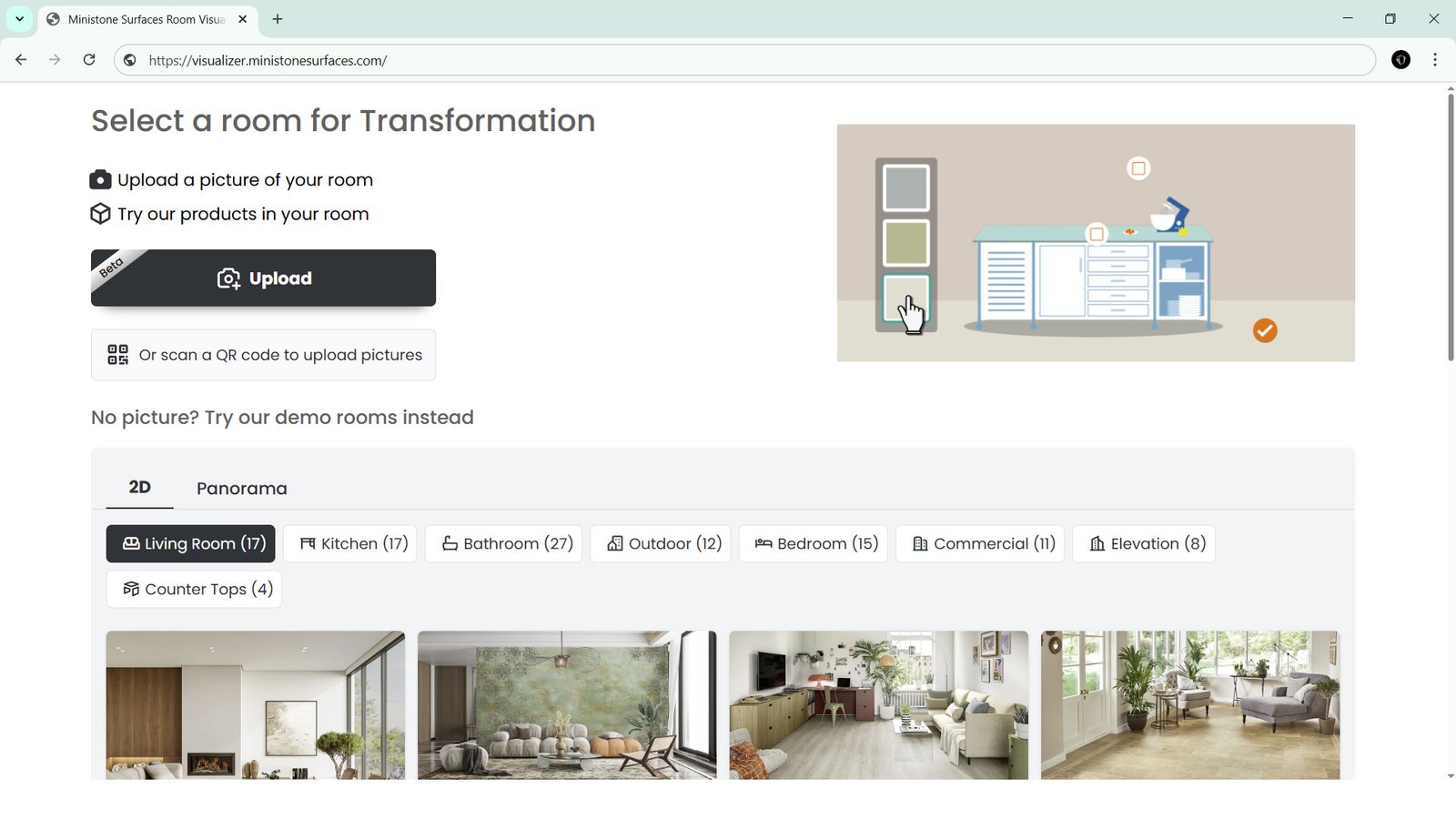
Ministone Tile Visualizer – See Your Dream Space Before You Buy
When we choose tiles for home, office, or any project, one common problem comes up – how will these tiles look after installation? Small samples in the shop often fail to give the full picture. To solve this, Ministone Surfaces has introduced an advanced Tile Visualizer Tool, a free online solution for customers, designers, and architects.
The Tile Visualizer allows you to upload your own room photo or simply pick from ready-made templates such as living room, kitchen, bedroom, bathroom, and office. Once selected, you can apply tiles from Ministone’s wide collection and instantly preview them in 2D, 3D, and even 360° views.
Why Use the Tile Visualizer?
-
Save Time & Effort – No need to carry heavy samples or keep guessing.
-
Real Experience – Get a clear idea of flooring and wall designs in real spaces.
-
Unlimited Options – Try different colors, patterns, finishes, and sizes.
-
Confidence in Choice – Finalize the perfect tile before making the purchase.
The 2D view gives you a simple flat design preview. The 3D view makes it look realistic, just like walking into the room. With the 360° view, you can move around and explore the complete space from every angle.
This tool is especially useful for homeowners planning renovation, interior designers presenting ideas to clients, and architects working on large projects. It brings creativity and practicality together in one simple click.
Try it today at visualizer.ministonesurfaces.com and see how your dream space will look before you buy the tiles.